Content Page: Editing and Designing

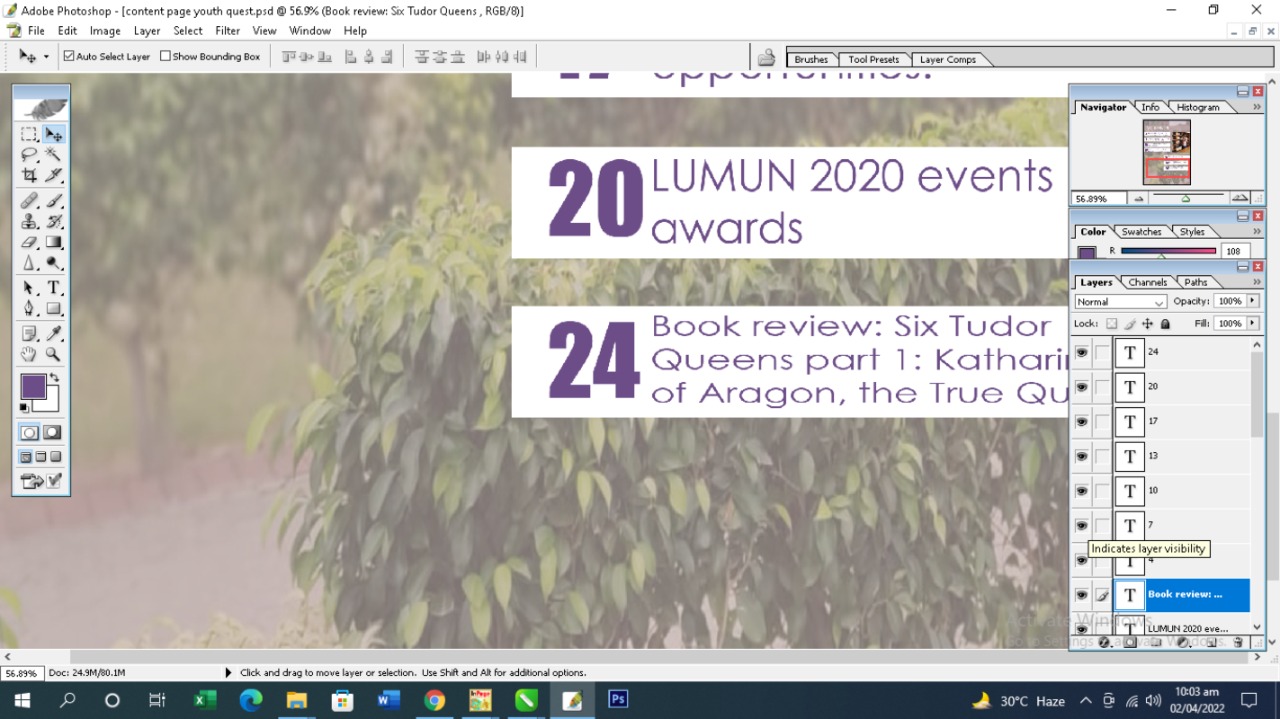
For my content-page construction, I first edited the background image. I reduced its transparency and edited a reddish shade to it. This as added an impact to my content-page in line with the theme of my cover-page.


Then I added the heading in Times New Roman font once again and highlighted it with a red bar with reduced transparency.


Following the layout sketch that I made earlier for my magazine, I placed all of my content-lines on rectangular bars and placed them sequentially across the page.


I added the first picture and edited the lighting so it isn't dull anymore, since the picture was taken indoors.

Then I added the rest of my content-lines.


Finally, placed the last image, edited the lighting to suit the bright theme of the page.

Comments

Popular posts from this blog

Marketing Kit

 For the marketing of my magazine I have created a marketing kit.

Planning: Codes and Conventions

 Application of codes and conventions on the genre. The above magazine follows the conventions of a teen beauty magazine. The model used for the main image is a young girl in a casual dress-up. The subtle make-up and bubbly expressions denote the innocence and youthfulness that teen girls have. The codes and conventions followed in the above magazine are bold, over the top styling, heavy make-up and extravagant props. The models in this genre usually take up looks that no woman would generally wear, so it's not necessarily a representation of women rather a creative portrayal of beauty as art.

Double Spread: Construction - Editing and Designing

I started by constructing the layout for my spreadsheet first following the sketch that I had made after I had improved the brightness and lighting on the image. I then added the heading using the font 'Bahnscrift' in bold.  In order to add the article I had written within the shape, I used this technique of using the pen tool to first outline the shape and then add the text within the shape before hiding the layer with the highlighted shape. Finally, I added some text on the top-right corner as well, using the font 'Freestyle script'.